
Estimated reading time: 4 minutes
Key Takeaways
- Pennies+ 1.2 adds savings: a place to put money aside, right next to your budgets.
- Give a saving a goal and a date to hit it by, or decide how much to put aside every week, month or payday.
- A budget can now move whatever is left at the end of its period into a saving.
- Savings can be shared with your household, exactly like budgets.
- An optional weekly reminder asks whether you have anything to put aside.
Table of Contents
- Why Savings?
- How a Saving Works
- Send Your Leftovers to a Saving
- Save Together
- A Weekly Nudge
- Get the Update
Why Savings?
Pennies has always answered one question: how much can I spend today? That is the right question for groceries and fun money, and the wrong one for a holiday, a new sofa or a rainy day fund. Money you are putting aside is not meant to be spent down. It is meant to build up.
Until now, the closest thing in Pennies+ was a separate budget that you tried not to touch. It worked, but the app kept telling you what was “left to spend” from money you had no intention of spending. So Pennies+ 1.2 adds savings as their own thing: a saving counts up, not down.
How a Saving Works
When you add something new, Pennies+ now asks what you would like to add: a budget or a saving. Choose a saving and you can set it up in one of two ways:
- Saving up for something. Give it a name and say how much you are saving up for. If there is a deadline, add the date you need it by. Already part of the way there? Enter what you have saved so far and carry on from that.
- Putting aside a regular amount. Choose weekly, monthly, yearly or payday, and how much you want to put aside each time. Pennies+ then shows how this period is going, as well as the total you have built up.
A goal is optional either way. If you only want somewhere to keep track of what you have put aside, leave it out.
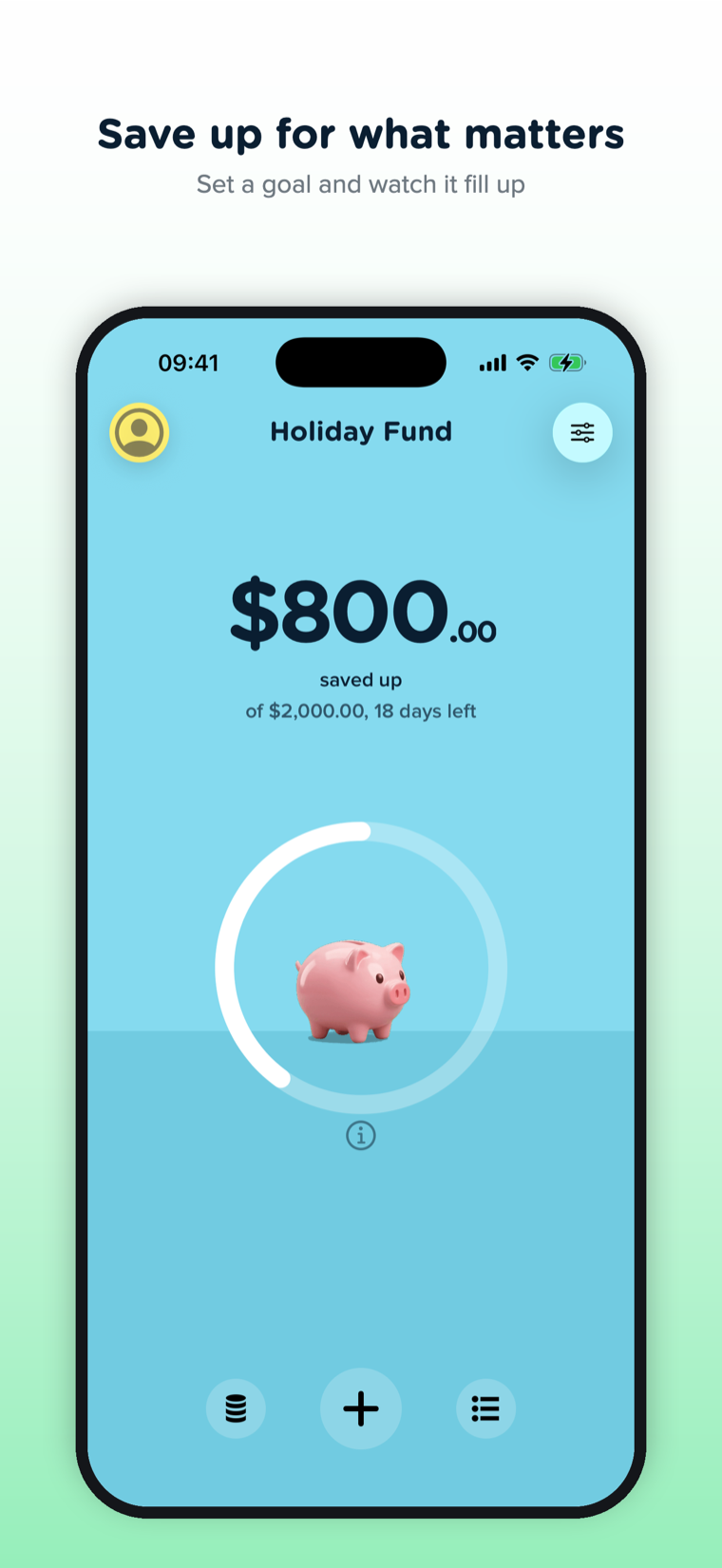
Where a budget shows what is left, a saving shows what you have saved up. Underneath is how far along you are and how many days are left, and the ring fills as you get closer to the goal. Tap the info button for the detail: what you are saving up for, how much is still to go, when you started and when you need it by.
Adding to a saving works the way adding an expense always has: tap the plus, type the amount, done. You can also transfer money into a saving from one of your budgets.
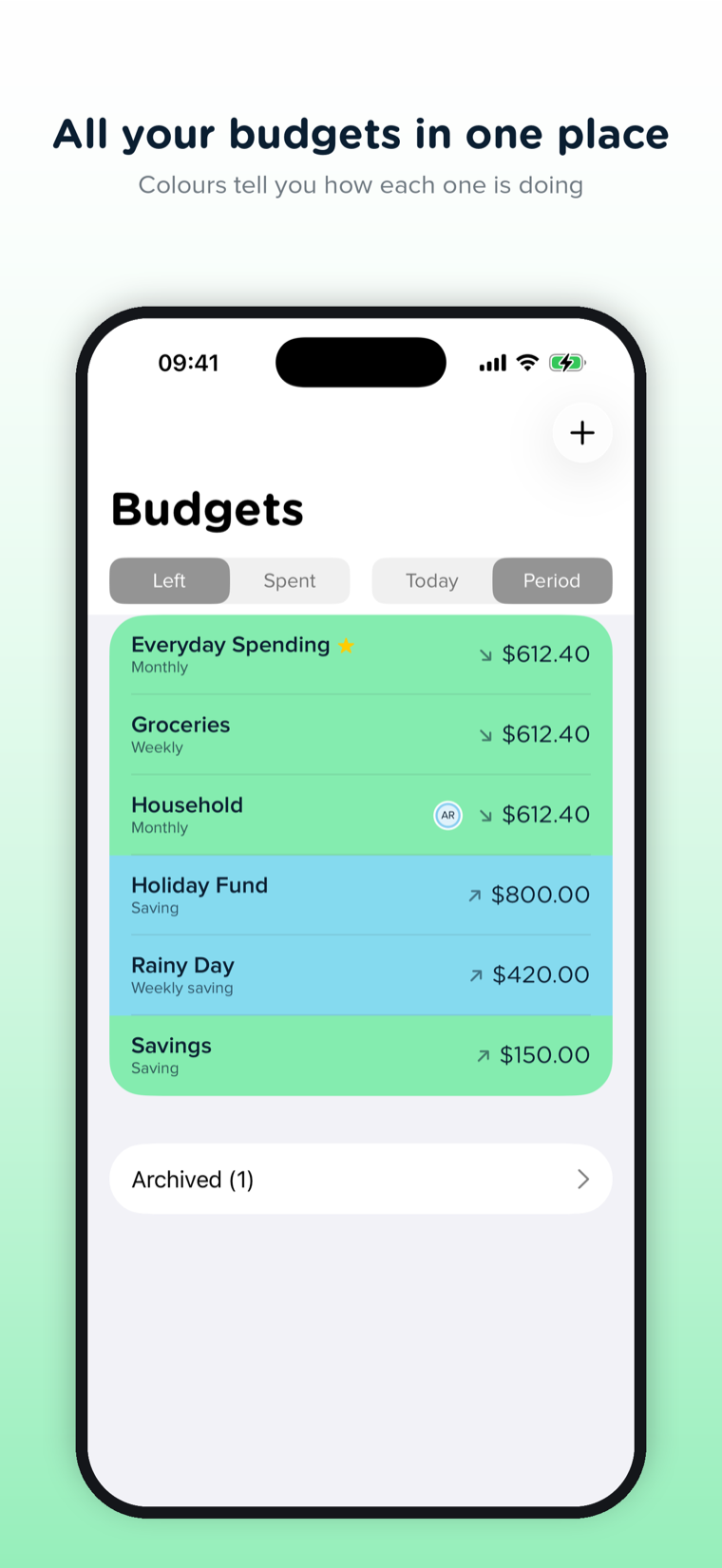
Savings live in the same list as your budgets, marked with an arrow pointing up, so everything stays in one place.
Send Your Leftovers to a Saving
This is the part we like best. A repeating budget now has a “When the Period Ends” setting with three choices:
- Start fresh. Each period begins with the full amount and nothing more.
- Carry it over. What is left moves into the next period. This is the rollover Pennies has always had.
- Move to a saving. What is left goes into a saving you choose.
Pick the third one, and coming in under budget on groceries quietly grows your holiday fund. Each move appears in your history as a transfer, so you can always see where the money came from.
If putting money aside for specific things is new to you, our guide to sinking funds explains the method. Savings in Pennies+ are built for exactly that.
Save Together
Pennies+ exists so a household can share its money, and savings are no exception. Share a saving with the same people, in the same way, as a budget: invite them, and everyone can add to it and see the same total. One Household Plan still covers everyone you invite.
Sharing is your choice, saving by saving. The holiday fund can belong to the whole family while your own rainy day fund stays private. For more on doing this as a couple, see saving money with a partner.
A Weekly Nudge
Settings has a new Saving Reminder. Turn it on, pick a day and a time, and once a week Pennies+ asks: “Anything to put aside this week?” It only reminds you while you have a saving.
Get the Update
Savings are in Pennies+ 1.2, on the App Store now. Update the app, or download Pennies+ if you are new.
New to Pennies+ altogether? Start with the announcement to see how shared budgets work.
FAQ
Are savings available in the original Pennies app?
No. Savings are part of Pennies+. Pennies Classic stays on the App Store and keeps working exactly as it does today.
Does a saving need a goal?
No. A goal and a date are both optional. Without them, a saving simply shows how much you have put aside.
Can I share a saving with my partner or family?
Yes. A saving is shared the same way as a budget, with up to six people, and everyone you invite joins free under your Household Plan.
Does a saving connect to my bank account?
No. Pennies+ never connects to a bank. A saving tracks what you tell it you have put aside, so the money itself stays wherever you keep it.